

Who Saw Your Facebook Profile? The Full 2026 Guide
- Chase Gillmore

- Jun 5
- 13 min read

Facebook does not allow users to see who viewed their personal profile. As of 2026, there is no native feature, privacy setting, or hidden menu that reveals a list of profile visitors. The only official visibility data Facebook provides relates to Stories viewers, Page analytics, and Professional Mode Insights: none of which give you a named list of profile stalkers.
No native feature exists for seeing who viewed your personal Facebook profile: this has been Facebook's policy since the platform launched.
Facebook Stories is the only place where you can see exact viewer names, and only within a 24-hour window before the Story expires.
Professional Mode provides visit counts and demographic breakdowns (age ranges, cities) but never individual names.
Third-party apps claiming to reveal profile viewers are universally fraudulent and violate Facebook's Terms of Service, risking your account and personal data.
Indirect signals such as Friends list ordering and People You May Know suggestions are frequently misread as profile-view indicators: they are not reliable or confirmed by Facebook.
At Maverick STR, we work with property owners on digital visibility and privacy every day, and the misinformation around Facebook profile tracking mirrors the kind of myths that circulate in the short-term rental marketing space. Understanding what data is real versus what is rumor is the first step to making smart decisions.
Every week, thousands of people search for ways to discover who has been looking at their Facebook profile. The curiosity is understandable. Maybe you posted something and noticed unusual activity. Maybe you reconnected with someone and wondered if they had been following your updates. Whatever the reason, the question is the same: can you actually find out?
The short answer is mostly no, with a few important exceptions. But the details matter. There are legitimate tools Facebook offers that give you partial visibility, and there are a handful of indirect signals worth understanding. There are also dozens of scams dressed up as solutions that will not tell you anything useful and could compromise your account. This guide covers all of it clearly.
In 2026, Facebook's data policies and Professional Mode analytics have matured enough to give creators and business users meaningful reach data. But for personal profiles, the core answer remains what it has always been: Facebook protects viewer anonymity by design. Here is exactly what you can and cannot know.
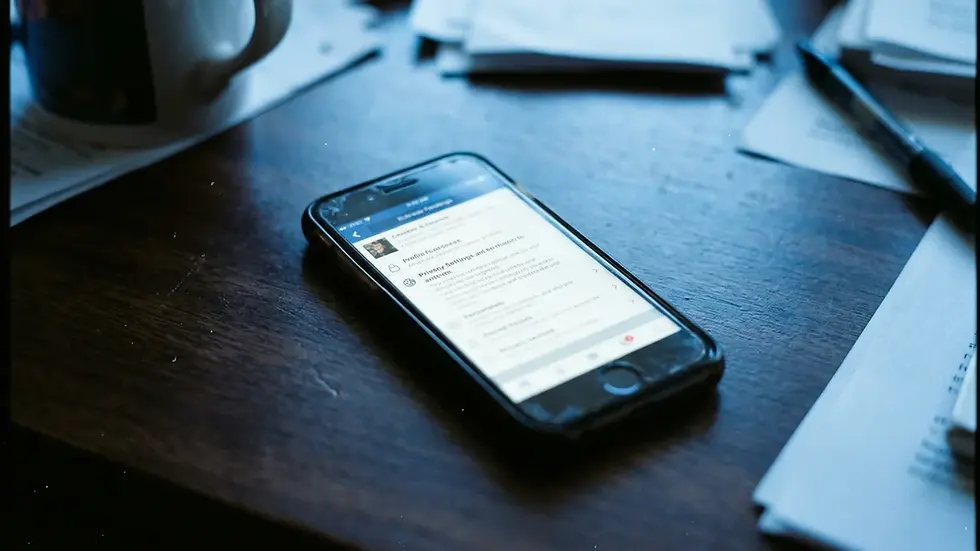
Can You See Who Visited Your Facebook Profile in 2026?
Seeing who viewed your personal Facebook profile is not possible through any official Facebook feature in 2026. Facebook made this decision deliberately: the platform's privacy architecture treats profile views as private data, meaning the person who views your profile is not notified, and you are not informed of their visit. This applies to public profiles and private profiles equally.
Facebook has addressed this question directly in its Help Center and privacy documentation. The company's position is consistent: revealing viewer identity would undermine user trust and deter people from browsing profiles naturally. Specifically, Facebook's Facebook help on privacy settings outlines what information you can and cannot control, and profile view tracking is not among the available options.
What Facebook does offer is interaction data. You can see who liked a post, who commented, who shared your content, and who reacted to a photo. But browsing your profile, scrolling through your timeline, or reading your About section leaves no trace that you can access.
What Data Can You Legitimately See?
Facebook provides three categories of legitimate visibility data for personal users. First, Story views: when you post a Facebook Story, you can tap the viewer count icon to see the names of people who watched it, but only within the 24-hour window before the Story disappears. Second, post interaction data: likes, comments, shares, and reactions on any post are all visible. Third, if you switch to Professional Mode on your personal profile, Facebook unlocks a dashboard showing aggregate visit counts, reach numbers, and broad demographic data.
None of these features produce a list of anonymous profile browsers. They show people who actively chose to interact with your content, not people who quietly scrolled past it.
How Can You See Who Visited Your FB Profile Through Stories?
Facebook Stories is the only official method that reveals exact viewer names for your personal account. When you post a Story on Facebook, the platform tracks who watches it and makes that information available to you for a limited time.
To access Story viewer data, open your active Story and tap the eye icon or the viewer count displayed at the bottom left of the Story. Facebook will show you a list of every account that watched the Story, in the order they viewed it. According to Facebook's official guidance on how to see who has viewed your Facebook Story, this viewer list is available for the full 24-hour period that the Story remains active.
Once the Story expires, the viewer list disappears. Facebook does not store or surface that data after the 24-hour window closes. So if you want to use Stories as a monitoring tool, you need to check viewer data before each Story expires.
Practical Tips for Using Stories as a Visibility Tool
Post a Story specifically to test who is watching. Keep the content low-effort: a photo, a location check-in, or a brief update. People who regularly view your Stories but rarely interact with your posts give you a cleaner signal about active interest than post engagement alone.
Be aware that some users with privacy-conscious habits avoid Stories entirely. A person who regularly visits your profile but never watches Stories will not appear in your viewer list. Stories viewers represent a subset of your audience, not a complete picture.
Is It Possible to Track Who Stalks Your FB Profile Through Professional Mode?
Facebook Professional Mode is a feature that converts your personal profile into a creator-style account, unlocking analytics tools similar to those available on Facebook Pages. Enabling Professional Mode is the closest thing to a legitimate profile-view tracking tool that Facebook offers to personal users in 2026.
After enabling Professional Mode, you gain access to a Professional Dashboard within your profile. Inside the dashboard, navigate to Insights, then select Views. Facebook will display the total number of profile visits over a selected time period, broken down by age range, gender (as reported by users), and geographic location by city. Specifically, you will see data like the percentage of visitors aged 25 to 34, the top cities where profile visitors are located, and week-over-week visit trends.
What you will not see is any individual name. The analytics are aggregate and anonymized, by design. YouTube tutorials demonstrating this workflow, including a 2026 walkthrough from content creators on the platform, consistently confirm this limitation: count and demographics, not names.
How to Enable Professional Mode Step by Step
Open your Facebook profile on mobile or desktop.
Tap or click the three-dot menu (More) beneath your profile photo and cover image.
Select "Turn on Professional Mode" from the dropdown options.
Follow the prompts to confirm and set your content category.
Once enabled, return to your profile and tap "Professional Dashboard."
Select "Insights" from the dashboard menu, then scroll to the "Views" section.
Professional Mode is free and reversible. You can turn it off at any time without losing your existing posts or friend connections. The only meaningful trade-off is that your profile becomes more publicly accessible to followers, similar to how a Facebook Page operates. Review your audience settings carefully after enabling it.

Can Someone Tell If You Look Up Their Facebook Page?
No, Facebook does not notify users when someone views their profile. If you visit another person's Facebook profile, browse their photos, or read their About section, that person receives no alert, no notification, and no indication that you were there. This is a fundamental part of how Facebook's privacy model works, and it applies equally in both directions: you cannot see who viewed you, and others cannot see that you viewed them.
This is worth stating plainly because a significant amount of misinformation circulates suggesting otherwise. Browser-based "hacks" that claim to reveal viewers by inspecting the page source code were occasionally discussed years ago, but they never reliably identified viewers. Facebook has long since structured its code to prevent this kind of extraction, and attempting it today produces meaningless or random user ID data. The Chrome help page for finding and viewing page source explains how to view source code, but that technical capability does not translate to identifying Facebook profile visitors, regardless of what certain YouTube videos or blog posts claim.
The only partial exception: if you interact with someone's profile (liking a post, commenting, sending a friend request), that interaction is visible to them. Browsing without any interaction is invisible.
What Are the Indirect Signals That Suggest Someone Viewed Your Profile?
Indirect signals are patterns that some users interpret as evidence of profile views, though none of them are confirmed or officially documented by Facebook. Understanding what they actually reflect helps you avoid drawing false conclusions.
Friends List Ordering
Some users notice that the order of friends displayed in their Friends section or in the "People You May Know" widget seems to shift toward people they have been thinking about. The popular theory is that this ordering reflects who has recently visited their profile. Facebook has never confirmed this. The Friends list order is influenced by a complex algorithm that weighs your own interaction history, mutual connections, shared groups, and similar signals. It does not reliably indicate that a specific person viewed your profile recently.
People You May Know
Similarly, the People You May Know feature surfaces accounts based on mutual friends, shared workplaces or schools, contact list uploads, and location-based data. It is not a record of who looked at you. Platforms like Sotrender, an analytics tool for Facebook Pages, have noted that engagement metrics and audience data for Pages are measurable, but personal profile browsing behavior remains opaque and outside the scope of any third-party analytics.
Recent Post Likes from Inactive Accounts
When someone who rarely interacts with your content suddenly likes a photo or an old post, it often means they were scrolling through your profile. This is a real and fairly reliable indirect signal, because it combines a visit with a visible action. But it only tells you about visits that resulted in engagement, not quiet browsing sessions.
Why You Should Avoid Third-Party Apps Claiming to Show Profile Viewers
Third-party apps and browser extensions that claim to reveal who viewed your Facebook profile are, without exception, either misleading or actively harmful. Facebook's API does not expose profile view data to third-party developers, which means no legitimate app can access it. Any app that claims otherwise is either fabricating data or collecting your credentials and personal information for other purposes.
The risks of using these tools are significant. Apps that request Facebook login access can harvest your friends list, contact information, and browsing behavior. Some install malware or adware alongside their core function. Others simply display random or fabricated names to create the impression that the feature works, generating ad revenue from confused users who share the tool with friends.
Google Play's app store has hosted multiple "Who viewed my profile" applications over the years, and the vast majority have been removed for policy violations or received overwhelmingly negative reviews from users who discovered the results were fabricated. As of 2026, no app on Google Play or any other platform has the technical capability to identify your Facebook profile viewers, because that data does not flow through any channel that third parties can access.
Facebook's Terms of Service explicitly prohibit collecting user data through unauthorized means. Using or enabling such apps violates those terms and can result in account suspension. The risk-to-reward ratio here is extremely poor: you gain no real information, and you expose your account and data to real consequences.
How Should You Adjust Your Privacy Settings to Control Who Sees Your Profile?
Since you cannot see who viewed your Facebook profile, the more productive question is controlling who can view it in the first place. Facebook's privacy controls are detailed enough to let you customize exactly what different audiences can see.
Start with Facebook's Privacy Checkup tool. This guided walkthrough reviews your current settings across five categories: who can see your posts, how people can find you, how data is used, your ad preferences, and which apps have access to your account. Running through Privacy Checkup takes about five minutes and surfaces settings you may have forgotten or never configured deliberately.
Key Settings to Review
Setting | What It Controls | Recommended Option |
Who can see your future posts | Default audience for new content you share | Friends (or Custom for granular control) |
Who can look you up by email or phone | Discoverability via contact information | Friends of Friends or Friends only |
Do you want search engines to link to your profile | Whether Google and Bing index your profile | Off (if you want minimal public visibility) |
Who can see your friends list | Whether others can see who you are connected to | Only Me or Friends |
Who can see posts you are tagged in | Visibility of content others tag you in | Friends (with Timeline Review enabled) |
These settings do not prevent someone from finding your profile, but they limit what a casual visitor can see. A profile set to Friends-only means that someone who is not connected to you sees only your name, profile photo, and cover photo, nothing else.
What Does Obsessively Checking Profile-View Indicators Do to You?
This section covers a topic that most articles on this subject completely ignore, and it deserves a direct conversation. The behavior of repeatedly checking who might have viewed your Facebook profile, monitoring Friends list ordering for clues, and refreshing People You May Know for familiar faces can become a compulsive habit that produces real stress with zero real information.
Because none of the indirect signals are reliable, this pattern is functionally a loop. You check, you interpret ambiguous data, you assign meaning that may not exist, and then you check again. Psychologists who study social media behavior note that this kind of uncertainty-seeking can reinforce anxiety rather than resolve it. The brain looks for patterns even when none exist, and Facebook's opaque algorithms provide plenty of noise to misinterpret.
The practical guidance here is straightforward. If you are spending more than a few minutes thinking about who might be looking at your profile, the more useful action is adjusting your privacy settings to control what they can see, rather than continuing to investigate something that Facebook's own system will not tell you. Controlling what you share is productive. Trying to surveil something that is structurally inaccessible is not.
If concern about a specific person viewing your profile has a safety dimension, the appropriate response is to block that account or restrict what they can see, both of which are real and effective tools Facebook provides.

What Is the Definitive Checklist for Facebook Profile Privacy and Viewer Awareness?
For users who want a clear framework for managing visibility on Facebook in 2026, the following checklist consolidates everything covered in this article into actionable steps. Use this as a one-time audit of your current setup.
What Facebook Can Officially Show You
Names of people who watched your active Story (within 24 hours)
Aggregate profile visit counts via Professional Mode Insights
Demographic breakdown of profile visitors (age range, city) via Professional Mode
Who liked, commented on, reacted to, or shared your posts
Who sent you friend requests or followed your account
What Facebook Cannot and Will Not Show You
Names of people who visited your personal profile without interacting
A timeline or log of profile visits
Whether a specific person has been regularly checking your profile
Whether someone screenshot your posts or photos
Actions That Actually Improve Your Privacy Control
Run Facebook's Privacy Checkup and update audience settings for each category
Set your default post audience to Friends rather than Public
Disable search engine indexing of your profile if you want reduced public visibility
Use the Block or Restrict feature if a specific person's access is a concern
Uninstall any third-party apps with Facebook login access that you no longer use
Review which apps have access to your Facebook data under Settings and Privacy
Frequently Asked Questions About Who Saw Your Facebook Profile
Is there any official Facebook feature to see who viewed my profile?
No. Facebook does not offer any official feature that reveals a list of people who viewed your personal profile. The only profile-related viewer data Facebook provides is Story views (exact names, within 24 hours) and Professional Mode aggregate analytics (visit counts and demographics, no names). Facebook's Help Center confirms this policy explicitly.
Can someone tell if I looked at their Facebook profile?
No. When you visit another user's Facebook profile, they receive no notification and no indication that you were there. Facebook does not share browse history between users. The only exceptions are active interactions: if you like a post, leave a comment, or send a friend request, those actions are visible to the other person.
Do Facebook's Friends list ordering or People You May Know suggestions reveal who viewed my profile?
No. Both features are driven by algorithmic signals including mutual connections, shared groups, shared workplaces, and your own interaction history. Facebook has never confirmed that profile views influence either feature. Treating these suggestions as a profile-view indicator is a common misreading of how the algorithm works.
Are "Who Viewed My Profile" apps on Google Play legitimate?
No. Third-party apps claiming to show Facebook profile viewers cannot access that data because Facebook's API does not expose it. Apps that appear to show results are either displaying fabricated names or collecting your personal data and login credentials without delivering anything real. Using these apps violates Facebook's Terms of Service and can result in account suspension.
What exactly does Facebook Professional Mode show about my profile visitors?
Professional Mode Insights shows you the total number of profile visits over a selected time period, along with a demographic breakdown by age range, city, and reported gender. It does not show individual names. This data is available under the Insights section of your Professional Dashboard, specifically in the Views tab.
How do I limit who can see my Facebook profile?
Use Facebook's Privacy Checkup tool to audit your current settings across posts, discoverability, apps, and ad preferences. Set your default post audience to Friends, disable search engine indexing of your profile, and review who can look you up by phone number or email. These steps do not prevent anyone from finding your profile, but they significantly limit what a non-friend visitor can see once they arrive.
If someone views my Facebook Story, does that mean they checked my profile too?
Not necessarily. Story views and profile visits are separate actions. Someone can watch your Story from their feed or from the Stories bar at the top of the app without visiting your profile directly. That said, a Story view does confirm active awareness of your content, which is more than you can determine from profile visit data alone.
Can I prevent someone specific from seeing my Facebook profile?
Yes. Facebook's Block feature completely prevents a specific user from seeing your profile, posts, or sending you messages. The Restrict feature is a softer option: the restricted person can still see your profile, but they cannot see your Friends-only posts unless you approve them. Both options are available under the three-dot menu on any user's profile page.
What You Can Actually Do With This Information
The core answer to "who saw my Facebook profile" has been consistent since Facebook launched: the platform protects that data, and no workaround reliably reveals it. In 2026, the landscape has not changed on that fundamental point, though Facebook has given creators and professional users better aggregate analytics through Professional Mode than existed in earlier years.
Your productive options are three: use Stories as a limited but real viewer-identification tool, enable Professional Mode to understand the volume and demographics of profile traffic, and invest your energy in the privacy controls that determine what any visitor actually sees. Chasing phantom signals in Friends list ordering or trusting third-party apps wastes time and creates risk with no genuine return.
If you are managing a Facebook presence for a short-term rental property or a property management brand, the calculus shifts. At that point, a Facebook Page rather than a personal profile gives you real, named analytics tools, including detailed post reach, follower demographics, and engagement tracking that personal profiles will never match. That is the version of Facebook visibility data worth building toward.

Digital visibility, knowing who sees your content and how to control it, matters just as much for property owners managing their rental presence as it does for personal social media users. Maverick STR works with vacation rental hosts and property management companies nationwide on exactly this challenge: building digital presence that generates measurable, trackable bookings rather than invisible traffic. If you are a property owner looking for that kind of professional marketing and management support, Maverick STR is the team to talk to. Our managed properties consistently perform in the 90th percentile of their market, and our digital marketing clients see 3 to 5 times monthly organic traffic growth within the first three months.


Comments